
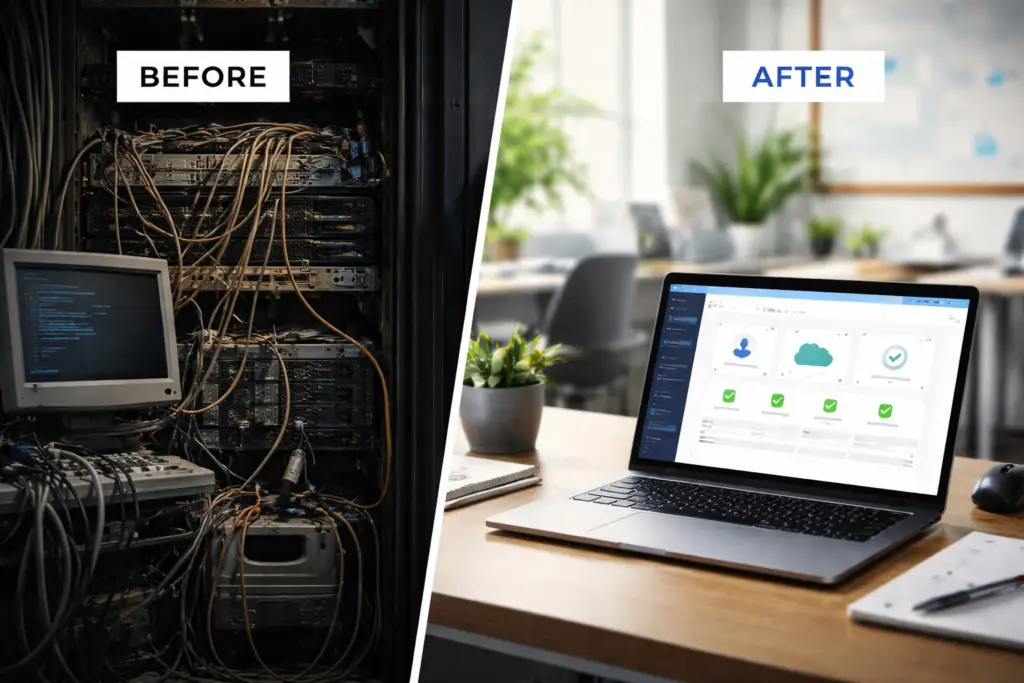
Nonprofit IT services are no longer a luxury. For many organizations, they are essential to protecting donor data, supporting staff, and maintaining operational stability.
Most nonprofit leaders assume modern technology means higher cost.
New systems.
New subscriptions.
New consultants.
More overhead.
In reality, outdated technology is usually what costs the most.
Old servers break.
Staff lose time fighting slow systems.
Security gaps create risk.
Emergency IT bills show up at the worst possible time.
Modernizing your nonprofit’s IT does not mean spending more. It means spending smarter.
Here is what that actually looks like.
Many nonprofits still rely on a physical server sitting in a closet somewhere.
It might run file storage.
It might handle logins.
It might be five to eight years old.
That server represents:
Hardware failure risk
Expensive replacement cycles
Uncertain backup reliability
Security vulnerabilities
Moving core systems to secure cloud platforms removes:
Hardware maintenance
Surprise replacement costs
Single points of failure
Cloud infrastructure is often more predictable and easier to budget than maintaining aging equipment.
For small and mid-sized nonprofits, the cloud is not a luxury. It is usually the safer and more affordable long-term option.
Many nonprofit organizations are not taking full advantage of discounted technology programs.
Microsoft 365 offers nonprofit pricing that provides:
Business email
Secure file sharing
Microsoft Teams
Built-in security tools
Device management
Often at a fraction of commercial pricing.
When configured properly, these tools replace multiple standalone products and reduce overall complexity.
The result:
Fewer vendors
Fewer passwords
Lower total cost
Better security
Modernization does not mean buying more tools. It means using the right ones correctly.
Chaos is expensive.
If every staff member has a different laptop model, different software versions, and different security settings, your organization pays for it in:
Extra support time
Slower troubleshooting
Increased vulnerability
Standardizing devices and security policies allows you to:
Manage updates centrally
Enforce multi-factor authentication
Protect email from phishing
Reduce downtime
A standardized environment is easier to secure and easier to support.
That translates directly into lower operational overhead.
Many nonprofits still operate in reactive mode.
Something breaks.
You call someone.
You pay the bill.
This feels cheaper in the short term. It rarely is.
Reactive IT leads to:
Emergency invoices
Long outages
Stressed staff
Board frustration
A modern approach focuses on:
Ongoing monitoring
Preventative maintenance
Security oversight
Predictable monthly budgeting
Instead of surprise costs, you get stability.
And stability is what nonprofit boards actually want.
Nonprofits hold sensitive information:
Donor records
Financial data
Payroll
Personal information
A data breach does not just create inconvenience. It can damage reputation, erode trust, and impact funding.
Modern security does not require a massive IT department. It requires:
Multi-factor authentication
Encrypted devices
Secure backups
Email protection
Clear access controls
These are not enterprise luxuries. They are baseline expectations today.
Protecting your data protects your mission.
Technology should support your mission, not distract from it.
Modernizing your nonprofit’s IT is not about adding tools or increasing overhead.
It is about:
Simplifying systems
Reducing risk
Standardizing infrastructure
Budgeting predictably
Protecting your organization’s reputation
When done correctly, modernization often lowers long-term costs while improving stability and security.
If you are unsure whether your current technology setup is secure, efficient, or sustainable, the first step is clarity.
Start with a structured review of:
Infrastructure
Security controls
Licensing
Backup and recovery
Vendor sprawl
You do not need a full overhaul on day one. You need a clear picture of where you stand.
From there, improvements can be phased in strategically and responsibly.
If you are a nonprofit leader in Central New York and want an honest assessment of where your technology stands, that conversation starts with a simple review.
No pressure. Just clarity.